


When I think about roadside assistance, I usually want two things: a clear way to ask for help and useful information before a small car problem turns into a stressful one. AAA Auto Club brings those needs into one free Lifestyle app from American Automobile Association, Inc. I tested it as the kind of tool I would keep installed before a long drive, not as something I would open every day for entertainment. Its value appears when I need roadside help, travel support, member savings, or a practical way to prepare for a trip.
The app has a 4.8 average from around 40 thousand ratings, with more than a million installs. Those figures suggest that it has become a familiar companion for many AAA members, but popularity does not automatically make every screen useful to every driver. My experience is that the app works best when I set it up before I need it. If I wait until I am parked on a dark shoulder with a flat tire, even a well-organized app can feel slower than it should.
How I use AAA Auto Club before and during a trip
Start with the membership details, not the emergency
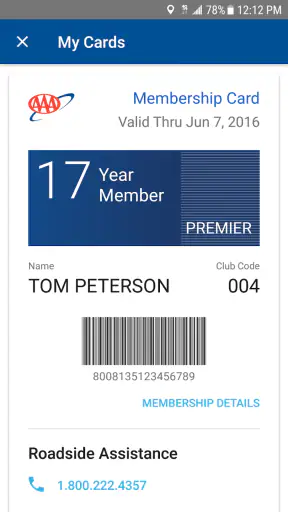
The first sensible step is to open the app while I am calm and make sure my AAA membership information is available. That simple preparation changes the experience later. Roadside assistance is not the sort of feature I want to explore while dealing with a dead battery, so I prefer to check the account area, confirm that the app recognizes my membership, and become familiar with where the help request begins.
This is one of the app’s most important practical lessons: it is partly an emergency tool and partly a preparation tool. I can use it to request assistance, but I can also use it to reduce the number of decisions I need to make when something goes wrong. Knowing where to tap, having my vehicle information ready, and understanding what location the phone is sharing are small habits that make a meaningful difference.
For a typical weekday example, imagine leaving work and finding that the car will not start. I would open the app, choose the roadside assistance path, review the vehicle and location details, and submit the request rather than searching the web for a phone number. I would still stay aware of my surroundings and follow normal roadside-safety practices. The app can organize the request, but it cannot make an unsafe location safe or replace good judgment.
Use the travel tools before the keys are in the ignition
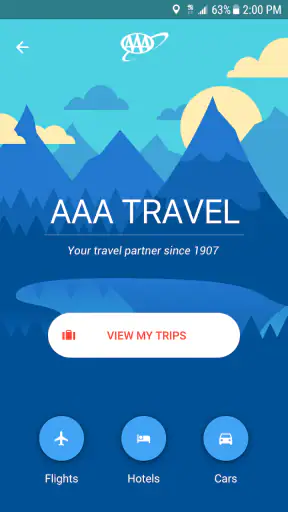
The travel side is easy to overlook because roadside help is the most obvious reason to install the app. I found it more useful when I treated the travel tools as part of trip planning. Before driving somewhere unfamiliar, I can use the app to look for relevant travel information and potential member benefits instead of opening several unrelated services and then trying to remember which offers belong to AAA.
This does not mean I would abandon a dedicated navigation app. Navigation apps are generally better for live route guidance, traffic awareness, and turn-by-turn driving. AAA Auto Club makes more sense beside them, as a membership-focused companion. I might plan the route with my usual map app, then check AAA for travel-related resources, discounts, or assistance options. That division of labor feels more realistic than expecting one app to do everything equally well.
A useful repeatable habit is to check the app before a hotel stay, road trip, or longer drive. I can review available benefits while planning, save myself from discovering them only at the point of payment, and keep the assistance function ready in the same place. The benefit is not just convenience; it is reduced mental clutter. I know which app is for directions and which one is tied to my AAA membership.
Keep the emergency workflow simple
When I need roadside help, I do not want a long tour of unrelated features. The best workflow is direct: open the app, locate the assistance option, provide or confirm the requested details, and review the request before sending it. I would avoid experimenting with travel sections at that moment. This sounds obvious, but designing a personal shortcut in advance is one of the few ways to make an emergency app feel genuinely dependable.
I also recommend checking the phone’s location settings before a trip. I am not treating that as a special AAA feature; it is basic preparation for any app that needs to understand where assistance should be sent. If location access is restricted or the phone has poor reception, I should be ready to describe my position manually. The app helps coordinate the request, but it cannot overcome every limitation of the phone, network, or surroundings.
Another practical habit is to keep the vehicle description consistent. If a household has more than one car, I would take a moment to recognize which vehicle details are associated with the request before submitting it. That reduces the risk of sending incomplete or confusing information when I am distracted. The app is most helpful when I use it as a prepared checklist rather than as a place to improvise.
Settings and account areas worth checking
The account and settings areas deserve a quiet review after installation. I would look for membership information, vehicle details, contact preferences, and any location-related controls that affect assistance. I would also check whether notifications are enabled in a way that suits me. Notifications can be valuable when I am waiting for service, but I do not want every optional message competing with important phone alerts.
This is where the app differs from a generic roadside phone number. A phone call can connect me to help, but the app gives me a reusable starting point for membership-related tasks and travel benefits. On the other hand, a phone call may feel more comfortable for someone who prefers speaking to a person, has difficulty using a small screen, or is dealing with a phone that has a weak data connection. I would keep the traditional contact route available even if the app is my first choice.
Because the current version is 3.9.1 and the minimum requirement is Android 8.0, compatibility is fairly approachable for people using older supported Android devices. I would still keep the operating system and app updated when possible. Updates are especially important for an assistance app because reliability matters more than visual novelty. On iOS, I would apply the same principle: install it before the trip and test the basic account flow rather than assuming it will be ready when needed.
Make discounts useful instead of merely interesting
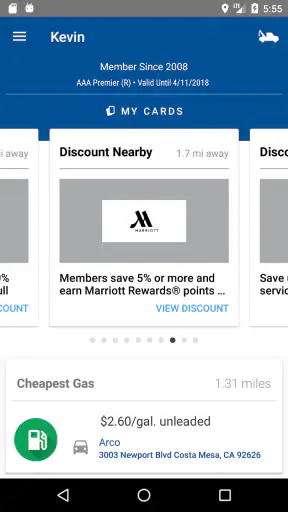
Discounts can become noise if I browse them without a plan. I get more value by checking them against a real purchase: a hotel booking, a rental-related expense, a meal during a trip, or another travel cost where an AAA member benefit may be relevant. I would compare the final price and conditions with my normal option rather than assuming that a member offer is automatically the best deal.
This is an important trade-off. The app can put benefits in front of me, but I still need to read the details and decide whether the offer fits my situation. A discount that requires a different booking path or applies only under certain conditions may not be worth changing plans. I see the app as a convenient discovery and access point, not as a guarantee that every listed benefit beats the open market.
Experienced use also means separating urgent actions from browsing. I would review discounts and travel tools at home, perhaps before packing, and reserve the roadside section for actual vehicle trouble. That division makes the app less distracting and gives each part a clear purpose.
What the app does well for different kinds of drivers
AAA Auto Club is a strong fit for an existing AAA member who wants one mobile place for assistance and membership-related travel tools. It is particularly sensible for people who drive long distances, travel with family, use unfamiliar roads, or simply feel better knowing that help is easier to request. New drivers may also appreciate having a structured emergency option instead of relying on memory.
It is less compelling for someone who does not use AAA services, rarely drives, or already has a roadside plan built into another service and never uses AAA travel benefits. In that case, installing another app may add clutter without adding much value. I would also hesitate to recommend relying on it as the only emergency option for a person who dislikes app-based support or frequently drives in places with unreliable mobile coverage.
Compared with a standalone navigation app, AAA Auto Club is narrower but more membership-focused. Compared with a basic roadside phone number, it offers a more organized digital workflow and access to related travel resources. Compared with a general discount app, its benefits are connected to the AAA relationship rather than being a broad marketplace. None of those comparisons makes it universally superior; they explain why I would use it alongside other tools rather than replace them all.
Limits I noticed in the advanced workflow
The app cannot remove every uncertainty from roadside assistance. I still need a charged phone, enough connectivity to use the service comfortably, and a safe place to wait. A request may also require information that is difficult to gather under pressure, such as the exact vehicle or location. I would not interpret the app’s convenience as permission to stand near moving traffic or focus on the screen instead of staying alert.
There is also a difference between having a membership app and understanding the membership itself. The app can help me reach AAA-related services, but I should know the practical terms of my own plan before a trip. If I am traveling with someone else’s car, driving a rental, or dealing with a vehicle that is not normally associated with my account, I would check the relevant membership conditions rather than assume every situation works identically.
Another limitation is that a combined app can feel broad. Roadside help, travel tools, and discounts serve different moments, so the app may require a little navigation before I reach the part I want. That is why I prefer rehearsing the assistance path and using the search or browsing areas only when I have time. The app rewards preparation more than improvisation.
I would also avoid treating the rating as proof that my own experience will be perfect. Around 8.7 thousand written reviews provide useful social evidence, but roadside situations vary by location, phone condition, vehicle, and timing. My judgment is based on the workflow and the role the app can realistically play: it is a convenient AAA companion, not a universal solution to every travel problem.
A practical routine I would recommend
After installing the app, I would sign in, review the membership area, inspect the roadside assistance entry point, and check the vehicle and location settings. Then I would browse the travel tools once, not because I need every feature immediately, but so I know what is available before my next trip. Finally, I would place the app somewhere easy to find on the phone. This routine takes less effort than trying to learn it during a breakdown.
Before a long drive, I would charge the phone, confirm that location access is working, review any relevant member benefits, and keep a backup way to contact help. During the drive, I would not interact with the app while moving. If a problem occurs, I would pull over safely, use the prepared assistance path, verify the details, and wait away from traffic when possible.
That routine highlights the app’s real strength: it turns AAA membership into something more accessible on the phone. It does not make me a better mechanic, improve navigation as much as a dedicated map app, or guarantee that every discount suits my plans. It does make the membership easier to use at the moment I need it, especially when I have already taken a few minutes to prepare.
My final view after using it as a real companion
As a free app rated for Everyone, AAA Auto Club is easy to justify for AAA members who drive regularly. It was released on June 12, 2017, and its continued presence alongside a current version of 3.9.1 gives it the feel of an established service rather than a one-purpose experiment. The developer, American Automobile Association, Inc., has built the experience around practical membership needs, and that focus is clearer than any attempt to imitate a general travel super-app.
My recommendation is straightforward: install it before you need it, learn the roadside workflow, and use the travel and discount sections deliberately. Keep a navigation app for navigation, keep a backup contact method for connectivity problems, and do not confuse convenient access with complete emergency preparation. If you are not an AAA member or have no interest in its travel benefits, you may be better served by the roadside or travel tools you already use.
For the right driver, the best feature is the repeatable habit it enables: prepare the account at home, check relevant benefits before leaving, and use the assistance path without searching when trouble arrives. That is why I would recommend AAA Auto Club to a friend who already belongs to AAA. It earns a place on the phone not by replacing every other driving app, but by making a specific and important part of membership easier to reach.


